rod2ik/TikZJax








TikZJax renders TikZ and supported TikZ-based LaTeX packages directly in the browser.
It focuses on singular TikZ-based LaTeX packages, that do NOT already exist on:
- MathJax,
- neither on other main web drawing libraries, e.g. Graphviz, or Mermaid, etc..
It can be used inside:
- standalone HTML pages;
- MkDocs documentation;
- Material for MkDocs sites;
- static websites;
- other browser-based documentation systems.
TikZJax runs TeX through WebAssembly inside Web Workers. It does not require a server-side LaTeX installation or a remote rendering service.
Documentation and test projects
| Resource | Link |
|---|---|
| Documentation and live demonstration site | rod2ik.github.io/tikzjax |
| Minimal MkDocs test repository | rod2ik/minimal-mkdocs-tikzjax |
| Source repository | rod2ik/tikzjax |
| npm package | @rod2ik/tikzjax |
| jsDeliver CDN | @rod2ik/tikzjax |
The minimal MkDocs repository can be cloned and run locally to test the integration in an isolated project.
Developers working on TikZJax itself should use the Development documentation. It covers Yarn 4.17.1, the incremental vendor system, the Web2js runtime handoff, MkDocs development, build validation, and releases.
Examples
Pure TikZ
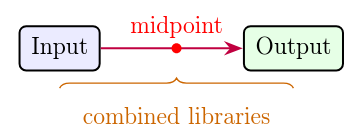
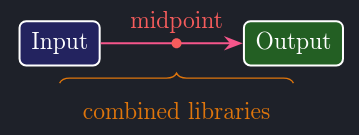
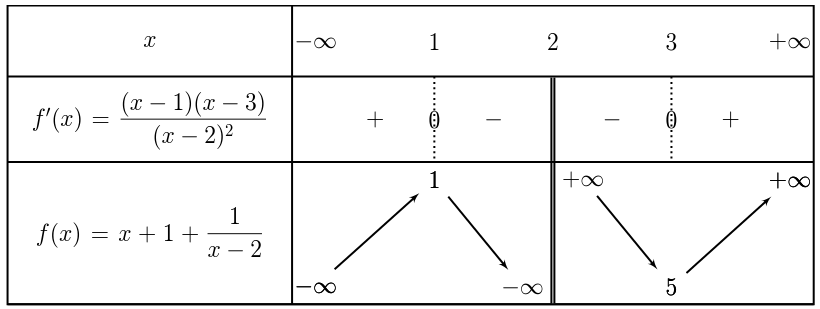
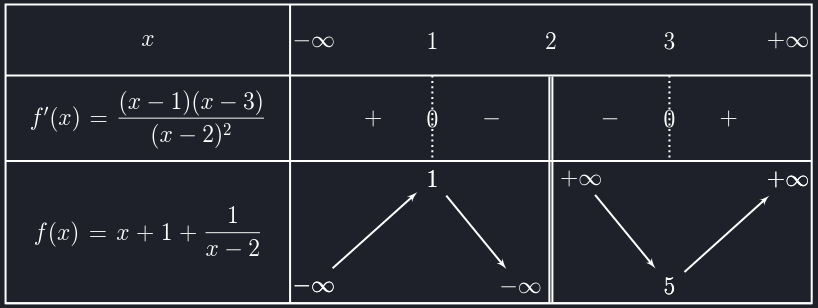
tkz-tab
Physics
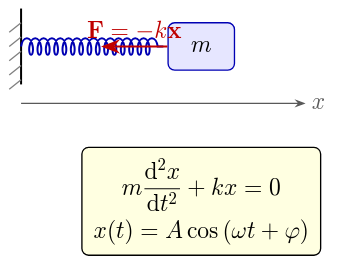
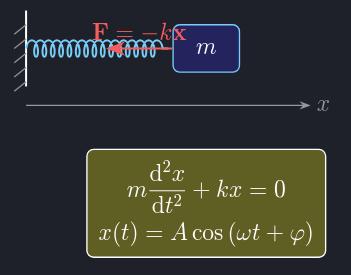
Circuitikz
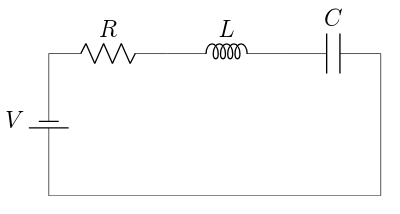
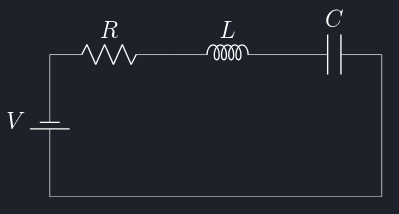
Kinematikz
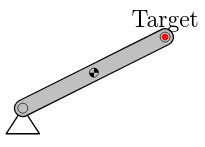
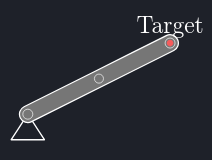
Chemfig
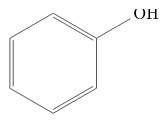
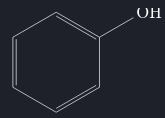
Yquant
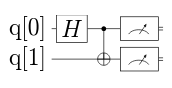
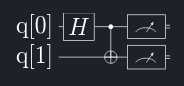
Tikz-feynhand
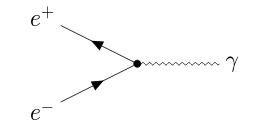
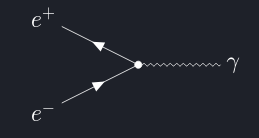
Braids
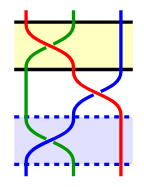
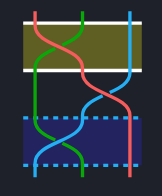
Pgf-spectra


Project lineage
rod2ik/TikZJax is based on the historical great works 👏👏👏 of:
- kisonecat/tikzjax, created by Jim Fowler;
- drgrice1/tikzjax, created by Glenn Rice.
Those projects are themselves based on browser ports of TeX and DVI conversion tools.
This project uses its own related forks:
The original projects provided the foundation for rendering TikZ in a browser. This fork preserves that capability while adding a larger configuration, package, documentation, performance, and integration layer.
Visual feature badges
The following Shields badges identify the origin of the features described on this page:
inherited from the historical TikZJax projects;
inherited behavior substantially expanded in this fork;
functionality added by
rod2ik/TikZJax.
The badges are ordinary linked images generated by Shields.io and render correctly in Material for MkDocs.
Supported optional packages
The distributed browser runtime includes the files required by all of these optional packages:








[
    "tkz-tab",
    "physics",
    "circuitikz",
    "chemfig",
    "yquant",
    "tikz-feynhand",
    "pgf-spectra",
    "kinematikz"
]
The runtime files are available, but packages are loaded into a diagram only when declared globally or with data-tex-packages.
<script
  type="text/tikz"
  data-tex-packages="chemfig"
>
\chemfig{H_3C-CH_2-OH}
</script>
See the complete examples catalogue.
What is different in rod2ik/TikZJax?
Core rendering
<script type="text/tikz">source blocks.
LaTeX and diagram support
tkz-tabvariation tables and sign tables.-
physics;circuitikz;chemfig;yquant;tikz-feynhand;pgf-spectra;kinematikz.
-
braids. data-tex-packages.data-tikz-libraries.data-add-to-preamble.tkz-tabconfiguration with public helper macros and automatic native defaults.
Configuration
window.TikzJaxOptions.window.TikzJaxConfigure().data-*options now cover packages, libraries, preambles, timeouts, retries, caching, diagnostics, loader dimensions, and fallback images.data-tikzjax-options.data-tex.
MkDocs and documentation integration
tikzjaxMarkdown blocks.mathjax_ignoreto reduce conflicts with MathJax rescans.
Themes
-
data-theme;data-bs-theme;data-color-scheme;data-md-color-scheme.
-
theme.adaptiveColors, enabled by default.prefers-color-scheme.
Rendering performance
Caching
data-disable-cache.
Reliability and diagnostics
data-show-console.data-debug-timings.tikzjax-load-finishedevent is dispatched for each inserted SVG.
Feature comparison
| Feature | Historical TikZJax | rod2ik/TikZJax |
|---|---|---|
| Browser-side TikZ rendering | |
Yes |
<script type="text/tikz"> blocks |
|
Yes |
tkz-tab support |
— | |
| Optional runtime LaTeX packages | — | |
Fenced MkDocs tikzjax blocks |
— | |
| Global configuration API | — | |
| Per-diagram package configuration | — | |
| Per-diagram TikZ libraries | — | |
| Light and dark theme adaptation | — | |
| Adaptive explicit SVG colors | — | |
| Automatic foreground/background contrast | — | |
| Configurable standalone palettes | — | |
| Dynamic Material theme updates | — | |
| Material tabs and admonitions | — | |
| Adaptive worker pool | — | |
| Parallel TeX rendering | — | |
| Viewport-priority scheduling | — | |
| Pending-job deduplication | — | |
| IndexedDB SVG cache | |
|
| Timeout and restart handling | |
|
| Custom fallback images | — | |
| TeX console diagnostics | — | |
| Worker timing diagnostics | — | |
Quick installation
jsDelivr
<script src="/assets/javascripts/tikzjax.config.js"></script>

<link
  rel="stylesheet"
  href="https://cdn.jsdelivr.net/npm/@rod2ik/tikzjax@1.6.0/dist/fonts.min.css"
>

<script
  src="https://cdn.jsdelivr.net/npm/@rod2ik/tikzjax@1.6.0/dist/tikzjax.min.js"
  defer
></script>
unpkg
<script src="/assets/javascripts/tikzjax.config.js"></script>

<link
  rel="stylesheet"
  href="https://unpkg.com/@rod2ik/tikzjax@1.6.0/dist/fonts.min.css"
>

<script
  src="https://unpkg.com/@rod2ik/tikzjax@1.6.0/dist/tikzjax.min.js"
  defer
></script>
npm
npm install @rod2ik/tikzjax
Yarn
yarn add @rod2ik/tikzjax
See:
Recommended configuration
window.TikzJaxOptions = {
    renderTimeout: 30000,
    maxRetries: 1,
    restartWorkerOnFail: true,

    workerPool: {
        enabled: true,
        maxWorkers: 3,
        reserveCpuCores: 1,
        useDeviceMemory: true,
        initializationRetries: 1
    }
};
This enables:
See Configuration.
Basic TikZ example
HTML syntax
<script type="text/tikz">
\begin{tikzpicture}
    \draw[->,very thick]
        (0,0) -- (4,0)
        node[right] {$x$};

    \draw[->,very thick]
        (0,0) -- (0,3)
        node[above] {$y$};

    \draw[very thick]
        (0,0) -- (3,2);
\end{tikzpicture}
</script>
On the documentation site, TikZJax replaces this source with a generated SVG.
MkDocs fenced syntax
rod2ik/TikZJax:
```tikzjax
\begin{tikzpicture}
    \draw[->,very thick]
        (0,0) -- (4,0)
        node[right] {$x$};

    \draw[->,very thick]
        (0,0) -- (0,3)
        node[above] {$y$};

    \draw[very thick]
        (0,0) -- (3,2);
\end{tikzpicture}
```
Fenced blocks use globally configured packages and TikZ libraries.
Use an HTML source block when local data-* configuration is required.
tkz-tab example
Native tkz-tab rendering is rod2ik/TikZJax.
<script
  type="text/tikz"
  data-tex-packages="tkz-tab"
  data-tkz-tab='{
    "autoApply": true,
    "lineWidth": "1.2pt",
    "font": "\\Large",
    "firstColumnWidth": 6,
    "espcl": 3
  }'
  data-width="760"
  data-height="260"
>
\begin{tikzpicture}
    \tkzTabInit
        {
            $x$/1.5,
            $f'(x)=3(x+1)(x-2)$/1.5,
            $f(x)=x^3-3x^2-6x+1$/2.5
        }
        {
            $-\infty$,
            $-1$,
            $2$,
            $+\infty$
        }

    \tkzTabLine{
        ,+,
        z,
        -,
        z,
        +,
    }

    \tkzTabVar{
        -/$-\infty$,
        +/$3$,
        -/$-15$,
        +/$+\infty$
    }
\end{tikzpicture}
</script>
Package loading and table configuration are separate:
data-tex-packages="tkz-tab"
data-tkz-tab='{ ... }'
With autoApply enabled, the source does not need to repeat native lw, lgt, espcl, or node-font settings.
See the tkz-tab examples.
Optional package example
Per-diagram package loading is
<script
  type="text/tikz"
  data-tex-packages="physics"
>
\begin{tikzpicture}
    \node[
        draw,
        rounded corners,
        inner sep=8pt
    ] {
        $\vb{F}=m\vb{a}$
    };
\end{tikzpicture}
</script>
Several packages or package options can be declared with compact JSON:
<script
  type="text/tikz"
  data-tex-packages='{"physics":"","xcolor":"dvipsnames"}'
>
\begin{tikzpicture}
    \node[text=NavyBlue] {
        $\vb{F}=m\vb{a}$
    };
\end{tikzpicture}
</script>
See Global and Local Configuration.
TikZ library example
Per-diagram TikZ libraries are
<script
  type="text/tikz"
  data-tikz-libraries="arrows.meta,positioning"
>
\begin{tikzpicture}
    \node (A) {
        Start
    };

    \node[
        right=2cm of A
    ] (B) {
        End
    };

    \draw[-{Stealth}]
        (A) -- (B);
\end{tikzpicture}
</script>
TikZ libraries and LaTeX packages use separate configuration fields.
For example, braids is a TikZ library:
data-tikz-libraries="braids"
Light and dark themes
Theme adaptation is
TikZJax can update already-rendered and cached SVGs after a theme change without recompiling TeX.
Adaptive explicit colors
Explicit chromatic SVG colors are adapted automatically in Dark mode through theme.adaptiveColors, which is enabled by default.
Instead of applying a literal RGB negative, TikZJax raises perceptual lightness while keeping each color in the same visual family. Saturation can also be reinforced so dark blues, reds, greens, and other colors become clear, vivid dark-mode variants rather than pale greyish colors.
The red, green, and blue color families have configurable hue shifts. By default, deep blues are shifted towards a clearer sky-blue range.
The main defaults can be written explicitly as:
window.TikzJaxOptions = {
    theme: {
        adaptiveColors: {
            enabled: true,
            strength: 1,

            hueShift: {
                red: 0,
                green: 0,
                blue: -40
            },

            contrast: {
                enabled: true,
                minimumRatio: 4.5
            }
        }
    }
};
This configuration block is optional because these values are already enabled by default.
In Light mode, TikZJax restores the original chromatic SVG values. The existing special handling of black, white, currentColor, transparent paints, gradients, and patterns remains separate and unchanged.
Set theme.adaptiveColors to false to disable explicit-color adaptation and its contrast stage.
Automatic foreground/background contrast
In Dark mode, TikZJax can estimate the visible contrast in three common SVG arrangements:
- text painted over a filled shape;
- a bright neutral
strokebelonging to the same element as its backgroundfill; - a small bright-neutral vector detail painted over a larger filled shape.
If the ratio is below theme.adaptiveColors.contrast.minimumRatio, the detected background fill is darkened until the requested contrast is approached.
The default requested ratio is 4.5. The foreground text, outline, or vector detail is not replaced by this contrast stage. Chromatic vector accents, such as a red target point, do not trigger the bright-neutral heuristic, and page components outside generated TikZJax SVGs are not restyled.
No additional configuration option is required for this expanded foreground detection.
A background modified by this stage can be identified in the generated SVG by:
data-tikzjax-contrast-adjusted="true"
Material for MkDocs
A Material configuration can use:
window.TikzJaxOptions = {
    theme: {
        selector: "body",
        applyTargetStyles: false,
        attribute: "data-md-color-scheme",
        darkValue: "slate",
        lightValue: "default",
        fallbackTheme: "light",
        followSystemTheme: true
    }
};
applyTargetStyles defaults to false. Material therefore remains responsible for the page background, text, navigation, cards, code blocks, tables, and admonitions.
The adaptive-color and SVG-contrast stages still apply to TikZJax diagrams in Dark mode; they do not require TikZJax to restyle the Material page itself.
Standalone HTML
A custom standalone page can ask TikZJax to style one or more selected targets:
window.TikzJaxOptions = {
    theme: {
        selector: ".app",
        applyTargetStyles: true,

        lightBackgroundColor: "#ffffff",
        lightTextColor: "#000000",

        darkBackgroundColor: "#1b1e2b",
        darkTextColor: "#ffffff",

        darkClass: "dark",
        lightClass: "light",

        attribute: "data-theme",
        darkValue: "dark",
        lightValue: "light"
    }
};
theme.selector accepts any valid CSS selector. Every matching target receives the resolved background and text colors only when applyTargetStyles is enabled.
See Light and Dark Themes and the standalone advanced example.
Parallel rendering
The adaptive Web Worker pool is
global render queue
    |
    +-- worker 1 --> diagram A
    +-- worker 2 --> diagram B
    +-- worker 3 --> diagram C
The pool:
- renders independent diagrams concurrently;
- limits the maximum number of workers;
- reserves CPU capacity for the browser;
- can account for device memory;
- initializes workers lazily;
- replaces failed workers;
- prioritizes visible diagrams;
- avoids compiling identical pending jobs several times.
See Parallel Rendering and the Worker Pool.
Cache and performance
Browser-side SVG caching is an
The current implementation also provides:
Disable the persistent SVG cache for one debugging block with:
data-disable-cache="true"
Error handling
Timeout, retry, and worker-restart behavior are
Custom fallback images are
window.TikzJaxOptions = {
    renderTimeout: 30000,
    maxRetries: 1,
    restartWorkerOnFail: true,

    brokenImageSrc:
        "https://cdn.jsdelivr.net/npm/@rod2ik/tikzjax@1.6.0/dist/assets/broken-image.svg"
};
A local fallback can be configured with:
data-broken-image-src="/assets/images/local-error.svg"
See Fallback and Error Images.
Intentionally invalid example
The following source is intentionally invalid so that the fallback path can be tested.
Using a complete document with an undefined command produces a more predictable failure than omitting an environment terminator.
<script
  type="text/tikz"
  data-disable-cache="true"
  data-show-console="true"
>
\begin{tikzpicture}
    \ThisCommandDoesNotExist
\end{tikzpicture}
</script>
The configured fallback image should appear after all permitted attempts fail.
Documentation
Getting started
- Installation overview
- Standalone HTML installation
- MkDocs installation
- Configuration
- Global and Local Configuration
Rendering and performance
Appearance and errors
Reference and examples
- API Reference
- Examples
- Standalone advanced HTML example
- TikZ examples
tkz-tabexamplesphysicsexamplescircuitikzexampleschemfigexamplesyquantexamplestikz-feynhandexamplespgf-spectraexampleskinematikzexamples
Credits
TikZJax exists because of the foundational work of the original TikZJax, Web2JS, and DVI-to-HTML projects and their contributors.
rod2ik/TikZJax preserves the original browser-side TikZ rendering concept while adding
tkz-tab;- optional package loading;
- global and local configuration;
- MkDocs fenced blocks;
- light and dark themes, including adaptive chromatic colors and automatic foreground/background SVG contrast correction;
- adaptive parallel rendering;
- dynamic content;
- expanded caching;
- diagnostics;
- fallback images.
Please also visit and credit the upstream projects: